
Windows Connect App, Notifications, Norman Improvements, and Self-Serve API
We’ve been working hard to make your experience cleaner, simpler, and easier. We’ve made updates and improvements across the mobile app, Connect App, and desktop app, as well as added powerful features to Norman.
Windows Connect App
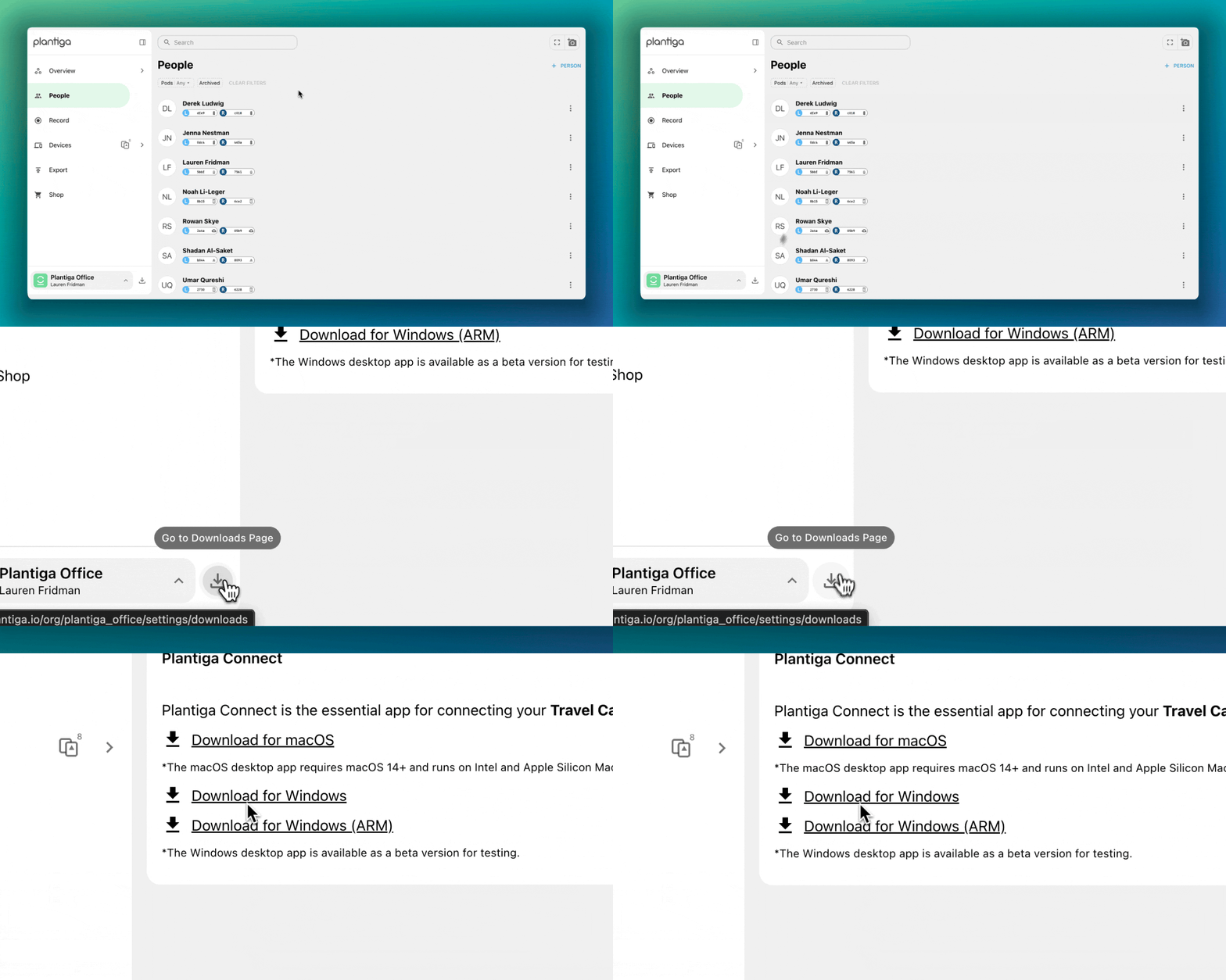
To our friends with Windows computers: we have built a Connect App for you. Download the Windows Connect App from the Downloads page on plantiga.io. Log in, plug your Travel Dock into your computer, and you’ll be good to go!
Push notifications
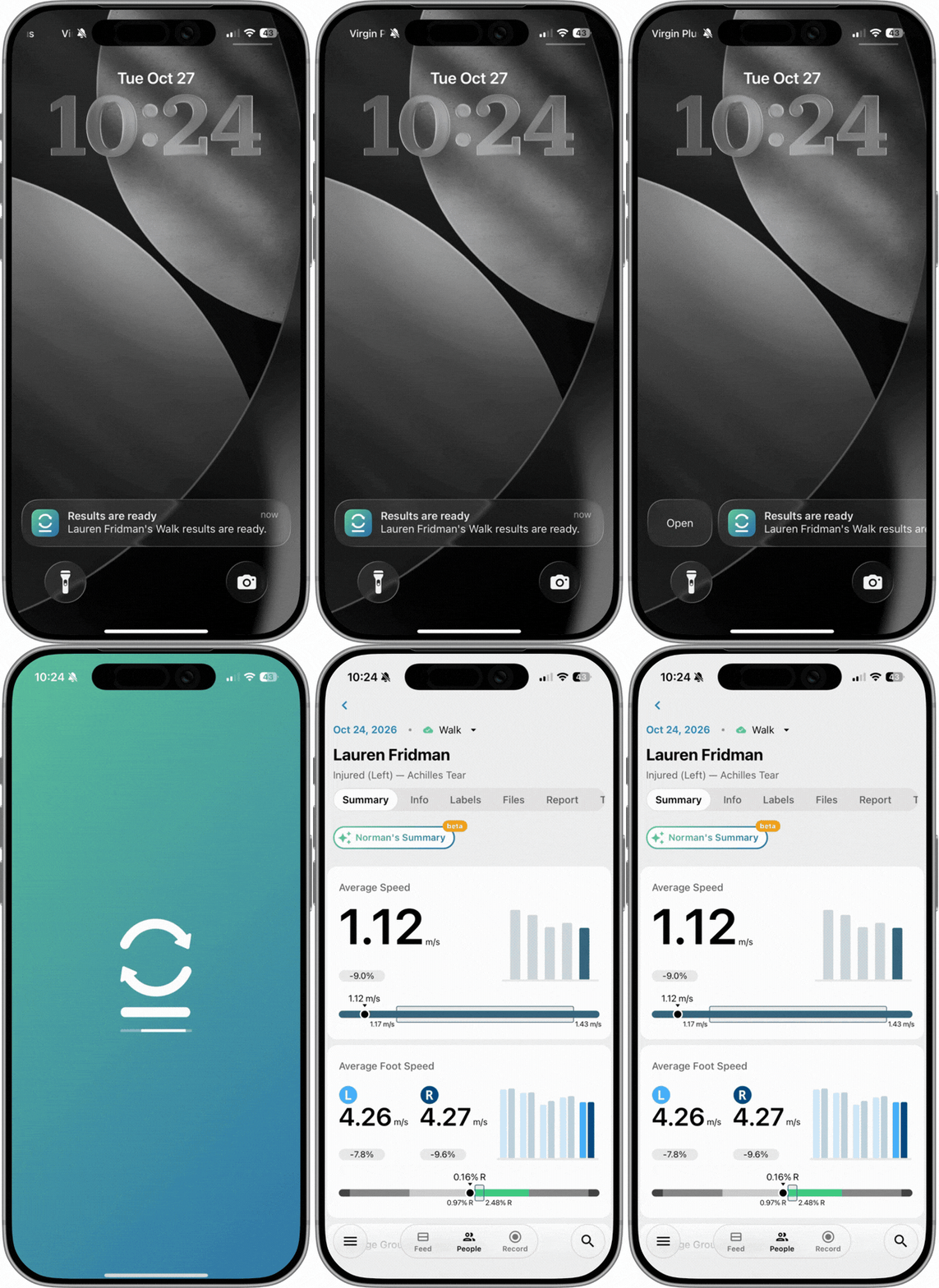
The Plantiga app now sends a push notification after an activity has finished processing. Tap it and you go straight to the metrics.
You choose what you’re notified about. If you work across several orgs or teams, you can turn on notifications for any of them and hear about:
Anyone on a given team
Specific athletes you’re responsible for
Just yourself
To turn them on, update to the latest version of the mobile app, then go to Settings → Notifications (or open any athlete’s Feed and tap enable when prompted).
New Phone Layout
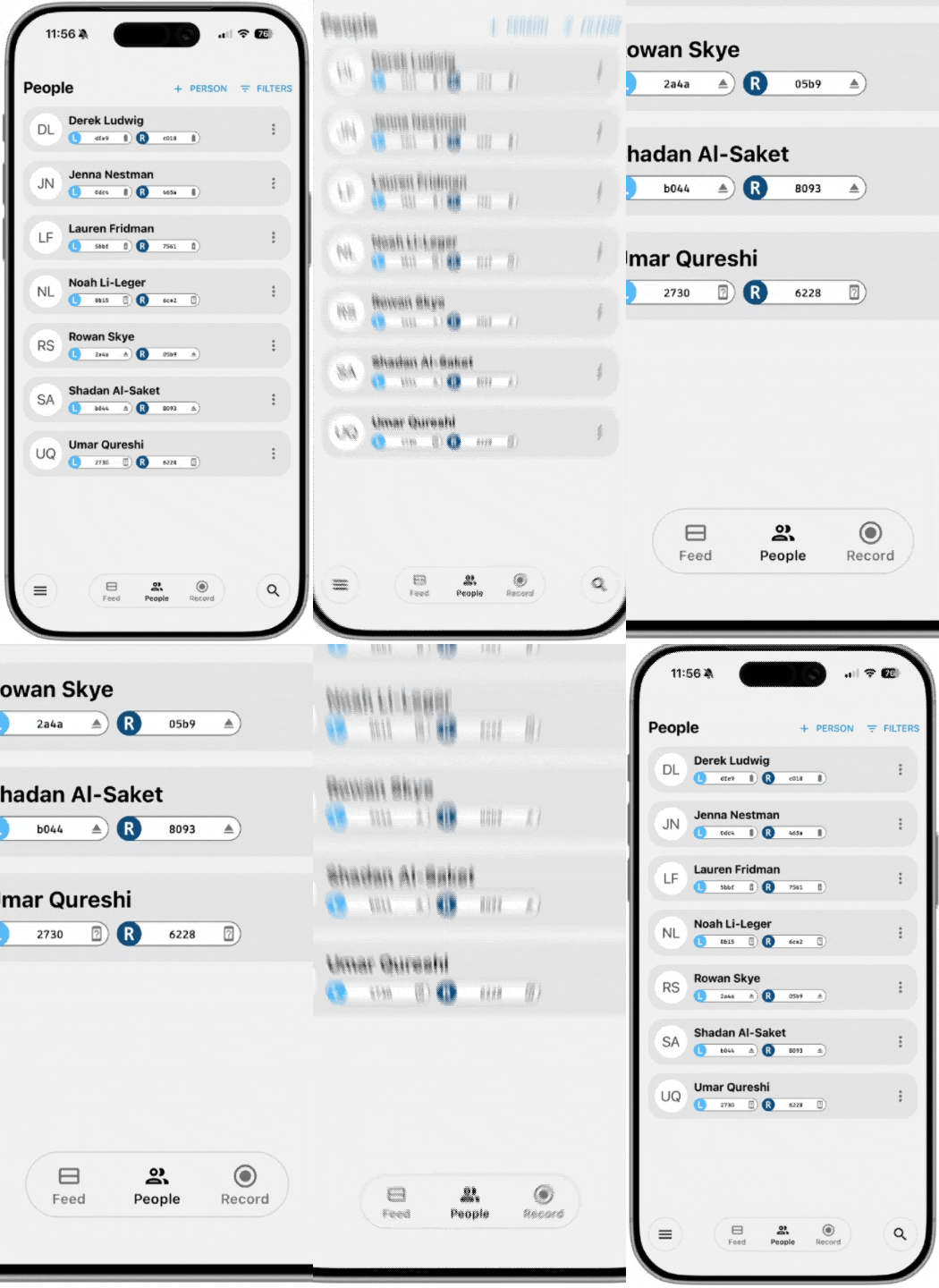
The app also has a redesigned layout on phones:
Simpler navigation. A bottom bar for getting around, and tabs for moving between the pages within a section.
A compact title bar that shrinks as you scroll, so more of the screen is your data.
Faster, clearer filtering for people and the activity feed, including filtering by multiple activity types at once.
Plus a long list of smaller fixes and performance improvements.
Norman Improvements
Athlete Context for Norman Summaries
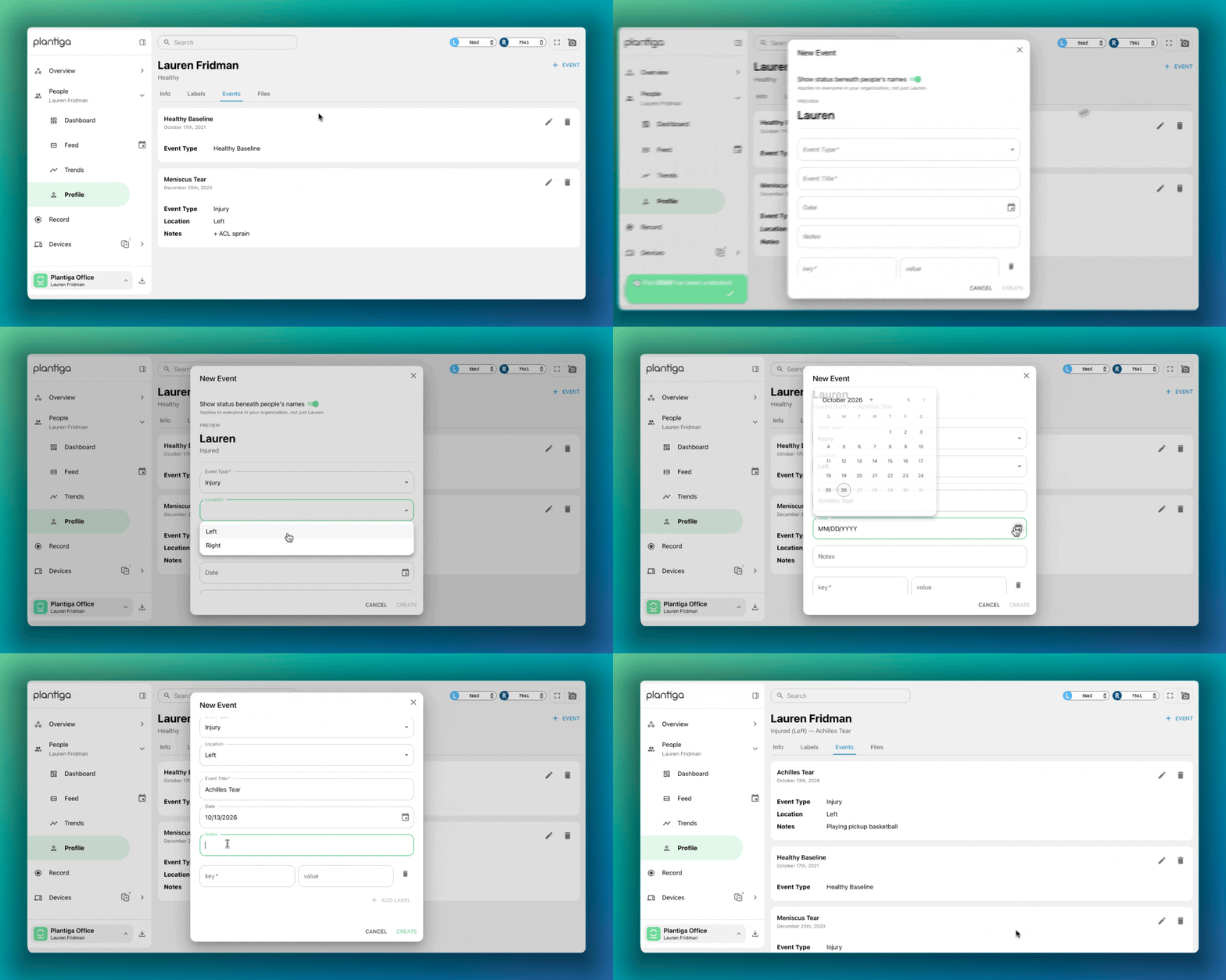
You can now add events and history to an athlete’s profile, such as an injury, surgery, return-to-play date, or change in training block. Norman keeps that context and uses it every time it writes a summary for that athlete.
You enter it once, and from then on, every summary has the context it needs to draw athlete-specific insights.
Norman Pro Prototype: Beta Testers Wanted
We have a prototype of Norman chat in which you can ask anything about return to performance, sports science, or using Plantiga.
We’re looking for beta testers to try it and tell us what they find useful and what they’d like to see differently. If you’re interested in getting access, email us at support@plantiga.com and we’ll get you set up.
Self-Serve API
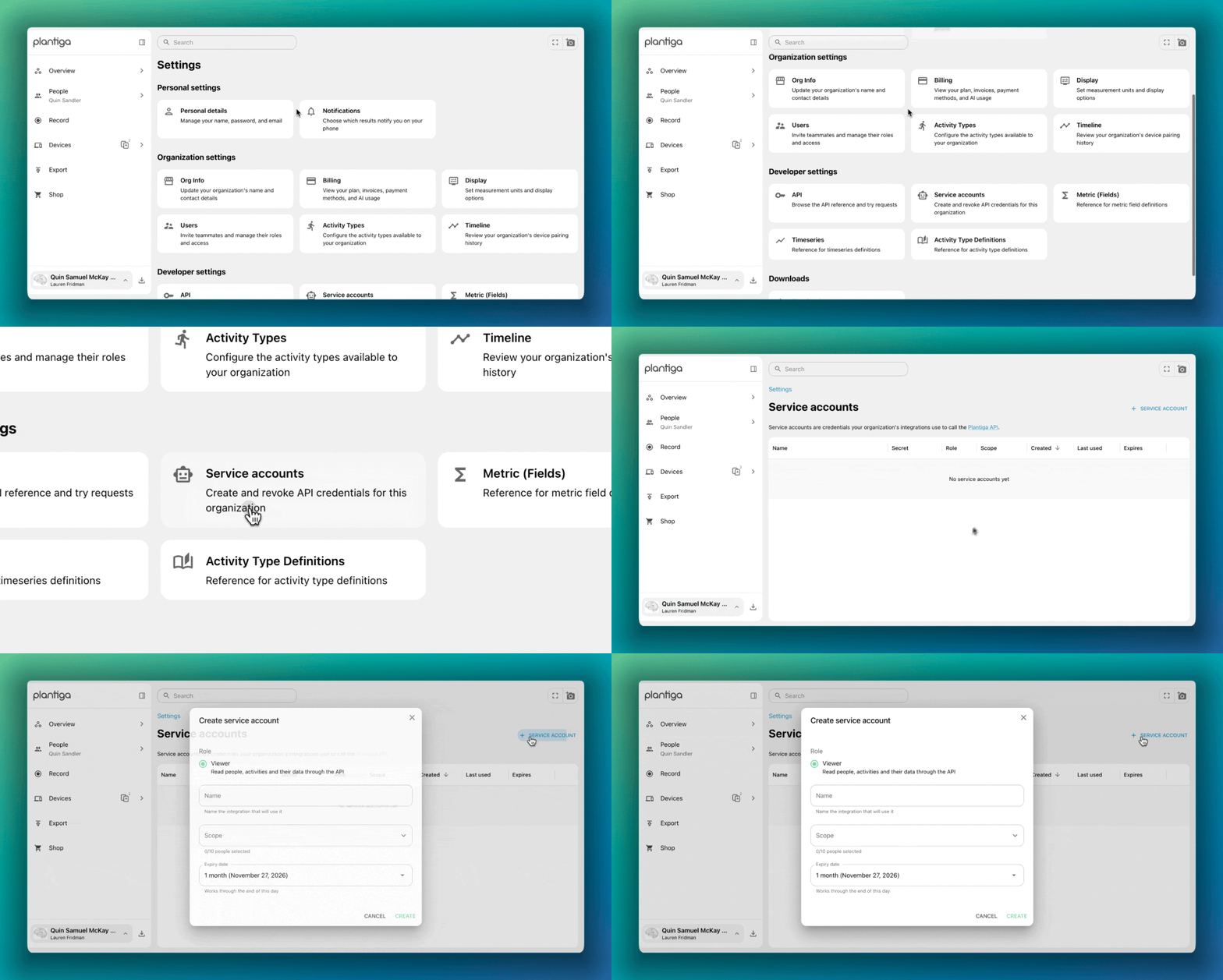
Until now, getting API access meant going through us. That’s changed. Any admin can now create a service account for their org, giving the owner of that service account access to the API without waiting on our team.
That makes it much simpler to pull Plantiga data into the systems you already use, whether that’s an AMS, a team dashboard, or your own internal tools.
Other Stuff
Coming Next: Plantiga’s MCP & CLI Tools
For those of you using AI tools in your day-to-day work, we’re building an MCP server and a command-line tool for Plantiga.
These will let you access Plantiga data and Norman’s insights from those tools, without switching back to our app. Both are in development, and we’ll share more when they’re ready to go.
Blogs & Podcasts
Atlanta Dream: how the Dream use Plantiga’s asymmetry data to bring athletes back stronger. Read the story →
New York Liberty: how the Liberty are setting the standard for women’s applied sport science. Read the story →
Sports Business Journal: SBJ’s Rob Schaefer used Plantiga in his marathon training series. Read the piece →
Move the Needle podcast: Quin was on the Move the Needle podcast if you want to hear about the findings and lessons learned from building Plantiga. Listen to it →